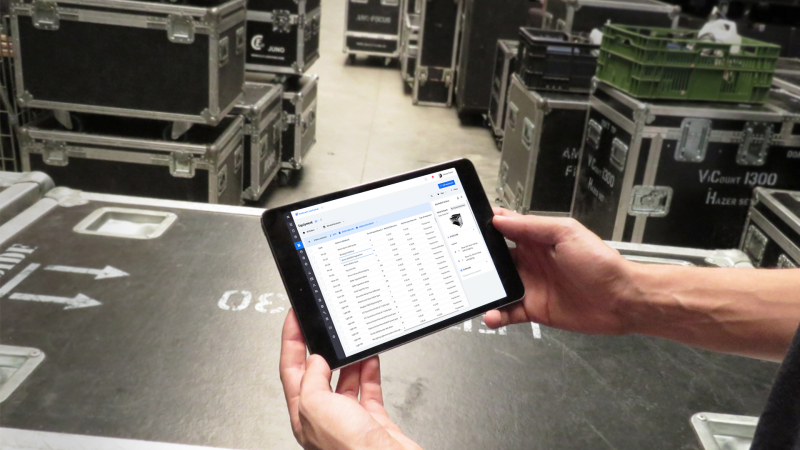
Whether you’re renting your first apartment or have been living the renter life for years, one essential task often gets overlooked: creating a digital inventory of your belongings. It may sound tedious, but having a digital record of what you own in your rental can save you time, money, and stress—especially when dealing with emergencies, insurance claims, or moving out.
In a world where so many aspects of life are already digital, creating a digital inventory is a smart, modern way to protect yourself and your possessions. Here’s why it’s important and how to easily get started.
What Is a Digital Inventory?
A digital inventory is an electronic record—usually in the form of photos, videos, or spreadsheets—documenting your personal belongings. Think of it as a digital catalog of everything you own in your apartment, including furniture, electronics, appliances, clothing, kitchenware, and even decor items.
This record typically includes:
-
Photos or videos of items
-
Descriptions (brand, model, serial numbers)
-
Receipts or proof of purchase
-
Estimated value of each item
-
Storage locations within your apartment
You can store your inventory in the cloud using platforms like Google Drive, Dropbox, or Evernote, ensuring it’s accessible from anywhere if needed.
Why Renters Should Have One
1. Protect Your Belongings with Renter’s Insurance
If your apartment is damaged due to fire, flooding, theft, or natural disasters, renter’s insurance is your safety net. But to make a successful claim, your insurance provider may require detailed proof of what you owned.
Having a digital inventory makes this process far easier. Rather than trying to remember everything off the top of your head, you can provide documentation immediately. This reduces the risk of underreporting lost or damaged items—and ensures a smoother and quicker claims process.
Tip: Some insurance providers even recommend or require an itemized list for large claims.
2. Eases the Move-In and Move-Out Process
When you move into a new apartment, documenting the condition of your belongings as well as the apartment itself can protect your security deposit.
By creating a digital inventory at move-in:
-
You document what you brought in.
-
You can spot any pre-existing damage in the unit.
-
You avoid disputes over damages or missing items when moving out.
When it’s time to move out, you can reference your digital inventory to ensure everything is packed and accounted for. Plus, it helps with organization—especially if you’re moving into a larger or smaller space.
3. Helps in Emergencies
Imagine needing to evacuate your apartment due to a fire, gas leak, or natural disaster. In such high-stress situations, remembering everything you own becomes nearly impossible.
A digital inventory can act as an emergency reference, helping you:
-
Track what was left behind
-
Provide accurate information to emergency responders or insurance companies
-
Focus on safety without worrying about forgetting valuable items
4. Useful for Shared Apartments or Roommates
If you live with roommates, keeping track of who owns what can get confusing, especially if you split the cost of shared furniture or appliances.
A shared digital inventory helps:
-
Clarify ownership
-
Prevent disagreements over items during move-outs
-
Make it easier to divide possessions fairly
You can also add notes about purchase dates, agreements, or warranties tied to shared purchases.
5. Simplifies Home Organization
Knowing exactly what you own helps you avoid duplicate purchases, better organize your storage, and declutter more effectively.
Whether you’re spring cleaning or trying to embrace a more minimalist lifestyle, a digital inventory can:
-
Show what you rarely use or forgot you had
-
Help plan donation or sale efforts
-
Save money by avoiding unnecessary purchases
How to Create Your Digital Inventory (Step-by-Step)
Creating your inventory doesn’t need to be complicated. Here’s a simple step-by-step guide:
Step 1: Choose Your Method
You can use:
-
A cloud spreadsheet (Google Sheets or Excel)
-
A home inventory app (like Sortly, Nest Egg, or Memento)
-
A combination of photos and cloud folders (Google Drive, Dropbox)
Step 2: Go Room by Room
Start with one room at a time—living room, bedroom, kitchen, etc. Take wide shots of the room, then detailed photos or videos of each valuable item. Capture:
-
Serial numbers
-
Brand/model details
-
Screenshots of receipts (if available)
Step 3: Add Descriptions and Values
Record each item’s:
-
Name and category
-
Purchase date or age (estimate if unknown)
-
Value or cost at the time of purchase
-
Condition and any identifying features
Step 4: Store and Back It Up
Save your files to a cloud-based system. Label folders by room and date. Make sure your system is easy to update and accessible on multiple devices in case you need it during an emergency.
Step 5: Update Periodically
Review and update your inventory every few months or after:
-
Major purchases
-
Big cleanouts or downsizing
-
Moving to a new apartment
Final Thoughts
Living in an apartment means flexibility, convenience, and ease—but it also comes with the responsibility of protecting your space and possessions. Creating a digital inventory is a proactive step that benefits every renter, whether you’re living in a studio or a three-bedroom unit.
It’s one of those tasks that takes a little time up front but pays off tenfold in peace of mind. From making insurance claims easier to keeping track of what you own, a digital inventory is a simple tool with major benefits for modern apartment living.
Ready to get started? Open your camera, pick a room, and begin your inventory today. You’ll thank yourself later.